
下面给大家介绍一下excel表格标题怎么设置每页都有

文章插图
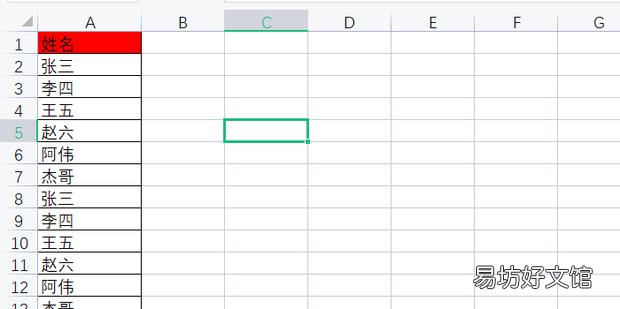
excel表格标题怎么设置每页都有1、打开一个excel文件 。
文章插图
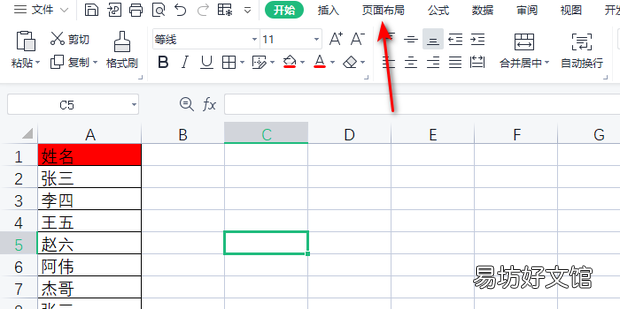
2、选择上方菜单栏中的页面布局打开 。
文章插图
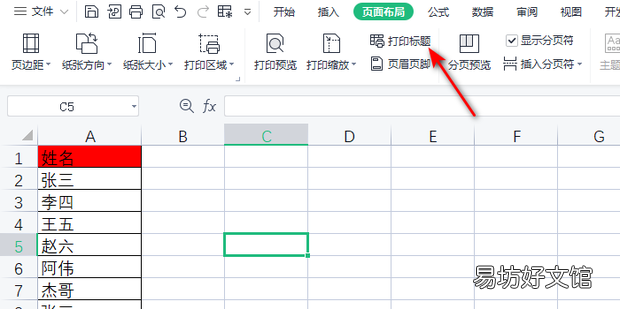
3、选择打印标题 。
文章插图
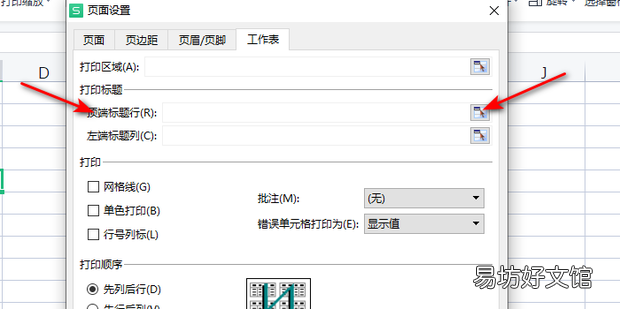
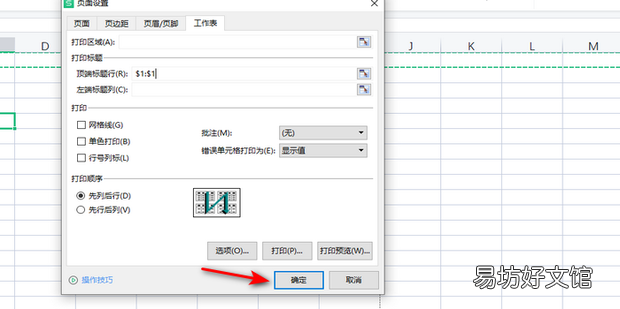
4、选择顶端标题,并选择区域 。
文章插图
5、点击确定即可 。
文章插图
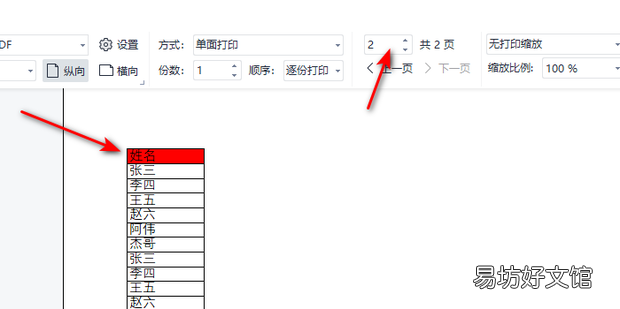
6、打印预览效果如下 。
文章插图
推荐阅读



- excel批量去掉小绿标
- WPS中Excel滚动条消失了怎么办
- Excel如何统计重复人名人数
- 腾讯文档中的在线表格如何删除批注
- cos大乱斗平民最优阵容搭配推荐 cos大乱斗培养比例表格
- Excel/WPS数据透视表字段隐藏了怎么打开
- 怎么把一个word文档中的表格复制到另一个word中
- WPS表格中如何复制插入的图片
- 快速复制多个文件名到excel中
- EXCEL 根据日期计算第几周